
Interactive demonstration

Try ScheduleLoop with example business data

Select a business type, adjust the kind of day, change an example hourly rate and see how expected demand becomes practical staffing guidance before moving into the rota.

This demonstration uses example data and does not create or save a real business forecast.

Business example
Day type
Demo workspaceCafe / Normal dayNo account required

Planner view

Today's staffing plan

Morning setup, a breakfast lift, a lunch rush and a gradual afternoon decline. Typical demand using the base trading pattern.

Planner ViewSetup View

Key recommendation

Plan for 37 staff hours today.

Strongest cover is expected around 12:00-14:00. Use this requirement as the basis for employee shifts in the rota.

Staff hours37.0
Peak demand90
Peak cover5
Forecast based onExample data

Shape of the day

Cafe - Normal day

Expected demand Recommended staffing
Cafe - Normal day staffing chartLine chart comparing expected demand with recommended staffing across the working day.025507510007:0009:0011:0013:0015:0017:00

Demand is strongest around 13:00; recommended cover reaches 5 employees.

Rota guidance

Keep cover practical, not jumpy.

Schedule strongest cover around 12:00-14:00. Quieter cover can sit closer to minimum around 07:00-08:00.
Practical staffing plan

Coverage blocks

These are staffing requirements, not named employee assignments.

Changes between blocks represent staggered shift start and finish times, not one-hour employee shifts.

07:00-08:002
08:00-09:003
09:00-12:004
12:00-14:005
14:00-15:004
15:00-17:003
Illustrative shift arrangement, not an automatic employee rota
  • Employee A: 07:00-15:00
  • Employee B: 07:00-14:00
  • Employee C: 08:00-16:00

Role planning

Role requirements

Barista3 peak
Kitchen2 peak
Front of house2 peak
  • 07:00-08:00: 1
  • 08:00-09:00: 2
  • 09:00-10:00: 3
  • 10:00-12:00: 2
  • 12:00-14:00: 3
  • 14:00-16:00: 2
  • 16:00-17:00: 1

Next in ScheduleLoop

Build the rota around the plan.

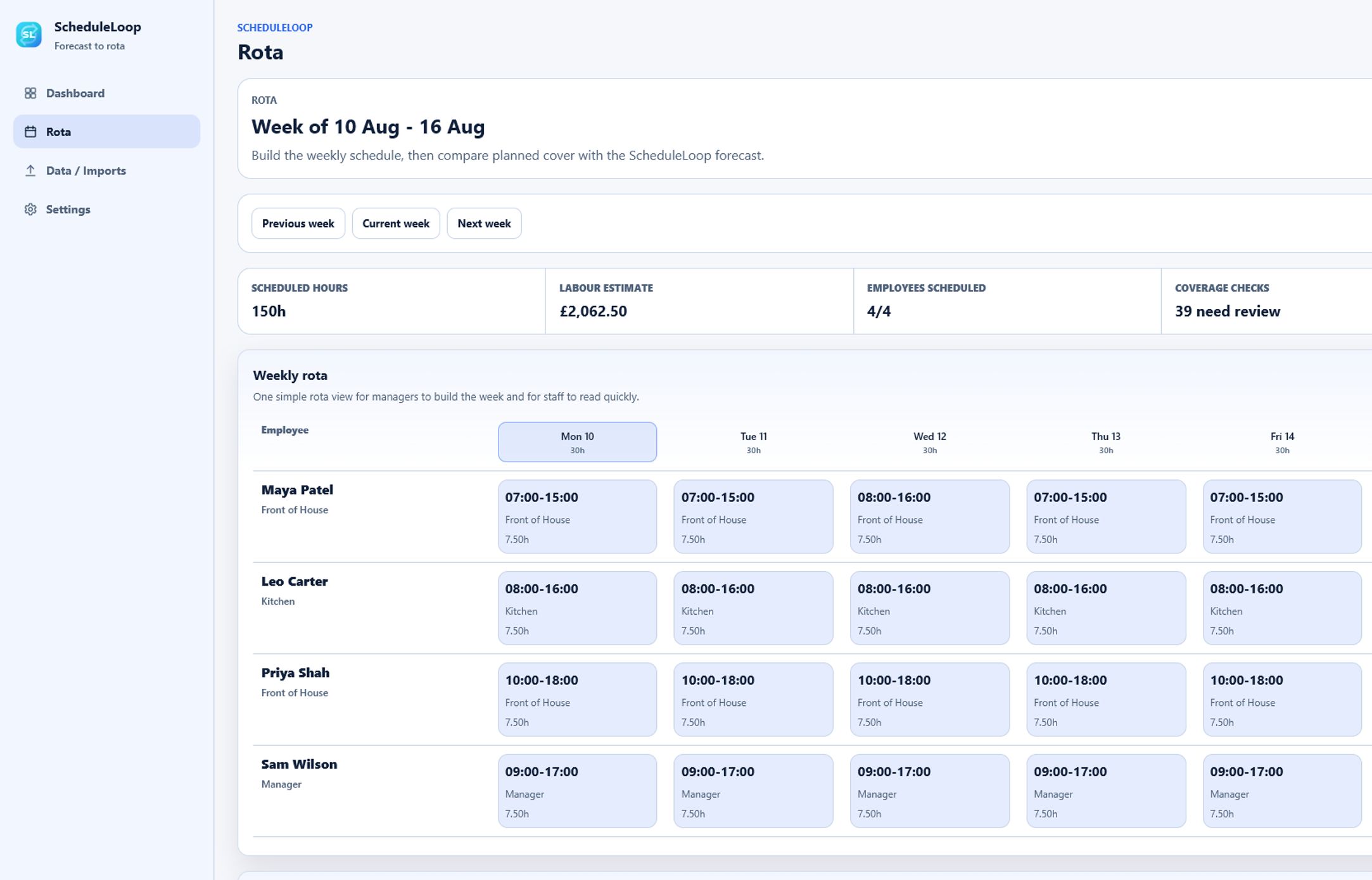
The staffing recommendation defines the cover the business needs. Managers can then assign employees, set shift times and compare scheduled cover with the recommendation in the real ScheduleLoop application.

Product screenshot only. This public demonstration does not save rota changes.
ScheduleLoop weekly rota with employee shifts and forecast coverage comparison
Saved rota workspace in the ScheduleLoop application
1

Demand is a signal

Expected demand shows pressure across the day, but it is not identical to required staffing.

2

Cover needs smoothing

Translate demand into steady staffing requirements instead of noisy one-hour spikes.

3

Build the rota

Use the staffing requirement as the basis for employee shifts in the real ScheduleLoop rota workspace.

Guided early access

Want to see this using your own business setup?

Request a walkthrough and we'll show how your opening hours, roles and demand patterns can become practical cover and a working rota.