Configure your business
Set opening hours, roles, staffing assumptions and the details that shape a normal working day.

Demand-led staffing guidance
ScheduleLoop turns expected demand into practical, role-by-role staffing guidance, then helps you build the rota around the cover your business actually needs.
Forecast demand, plan coverage and build the rota in one connected workflow.
No account required for the demo. Uses example business data.
Product
Orders, bookings, check-ins and footfall move in waves. Staffing needs a more practical shape: stable enough for shifts, specific enough for each role and flexible enough for the manager's judgement.
Most rota tools begin with employee scheduling. ScheduleLoop begins with the staffing requirement, then helps managers build the rota around it.
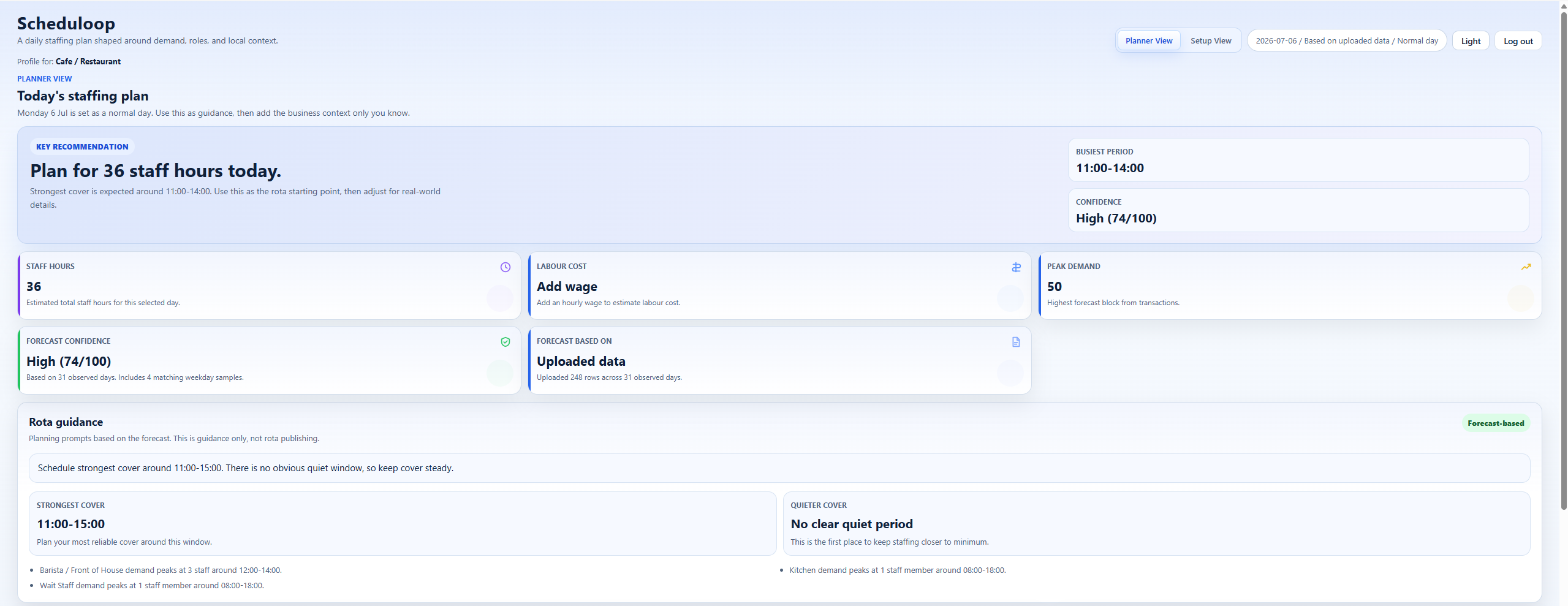
How It Works
Set opening hours, roles, staffing assumptions and the details that shape a normal working day.
Use business data and manager input to see when the day is likely to build, peak and ease.
Turn demand into stable, role-based staffing requirements that can become realistic shifts.
Assign employees and create the working schedule around the cover you have planned.
Understand the shape of the day
ScheduleLoop gives managers a clear view of when demand is expected to rise, peak and settle, so cover can be planned around the real pressure points of the day.
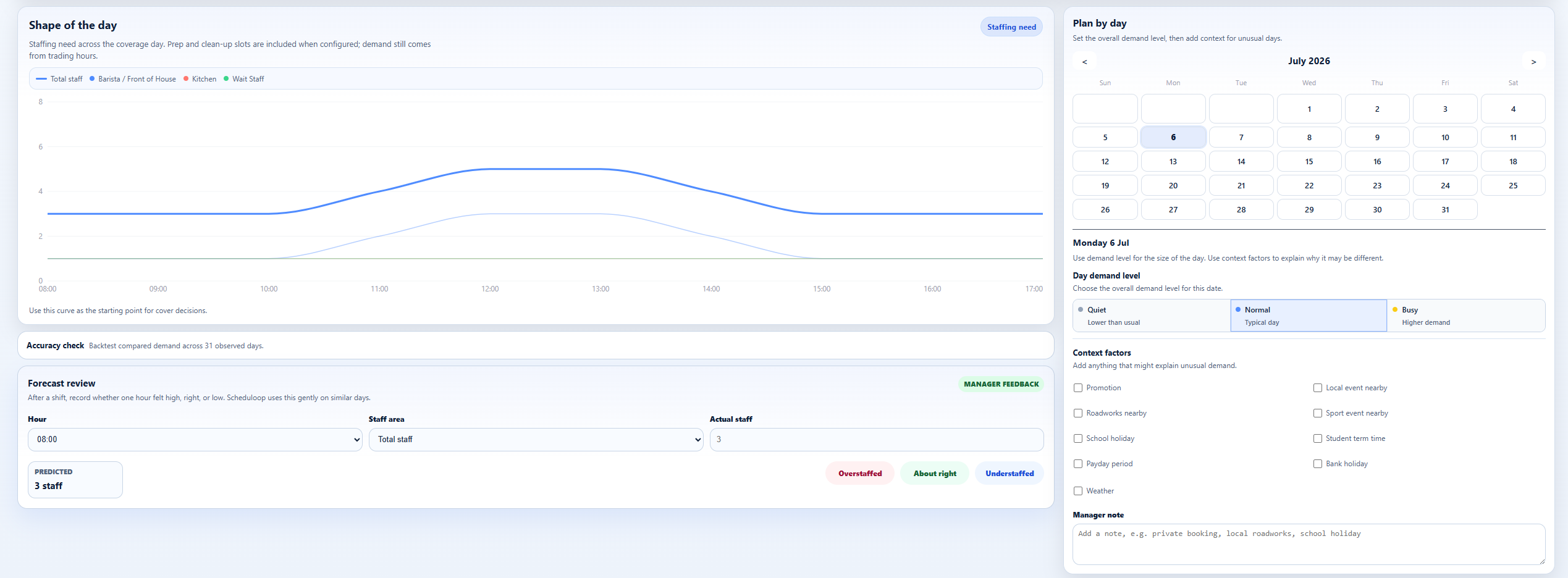
Turn demand into practical cover
Instead of reacting to every small spike, ScheduleLoop turns demand into sensible staffing blocks that are easier to discuss, adjust and turn into a rota.
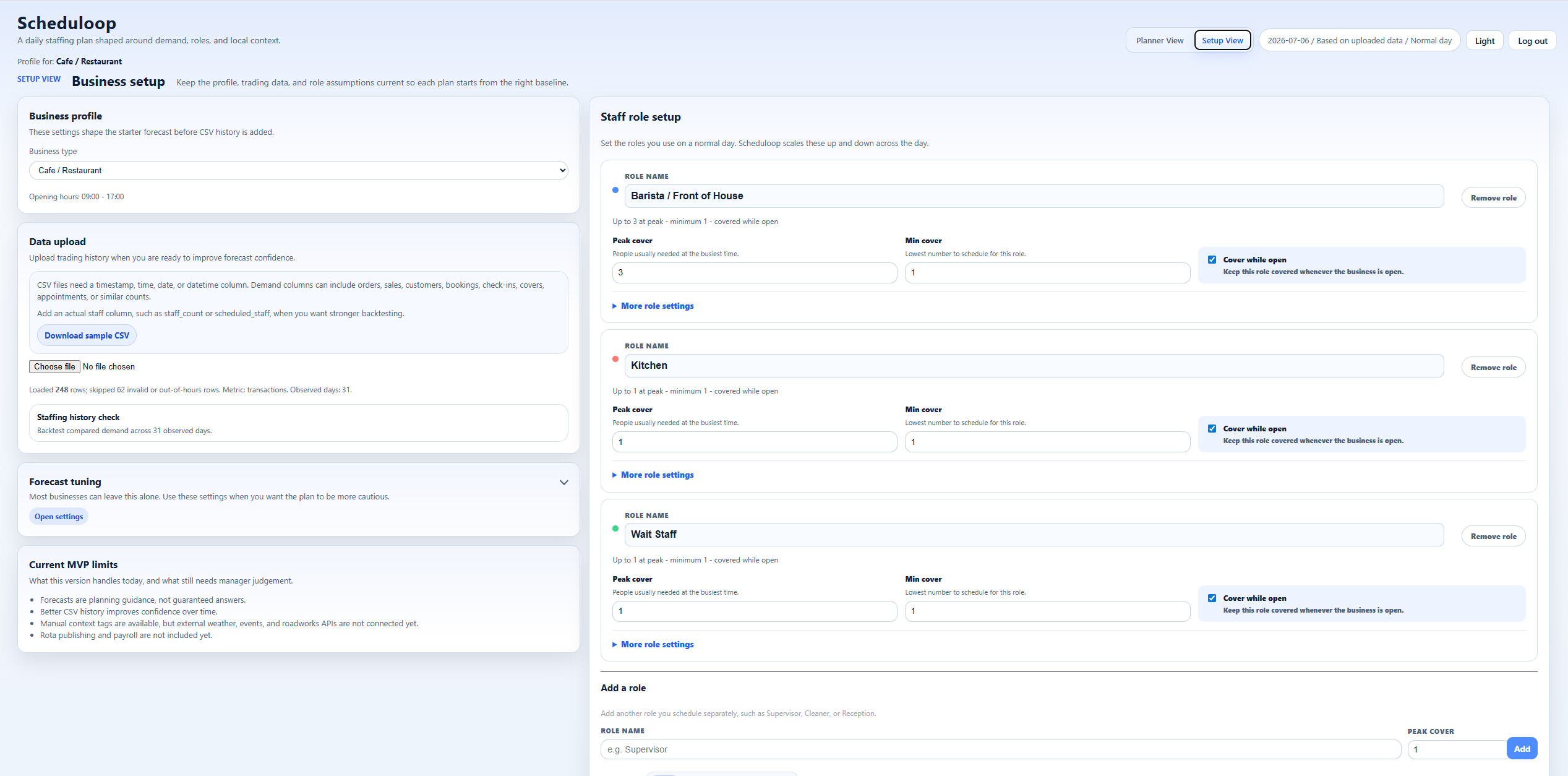
Plan different roles
Front of house, kitchen, reception, checkout and floor teams do not always peak at the same time. ScheduleLoop keeps each requirement visible from planning through to the rota.
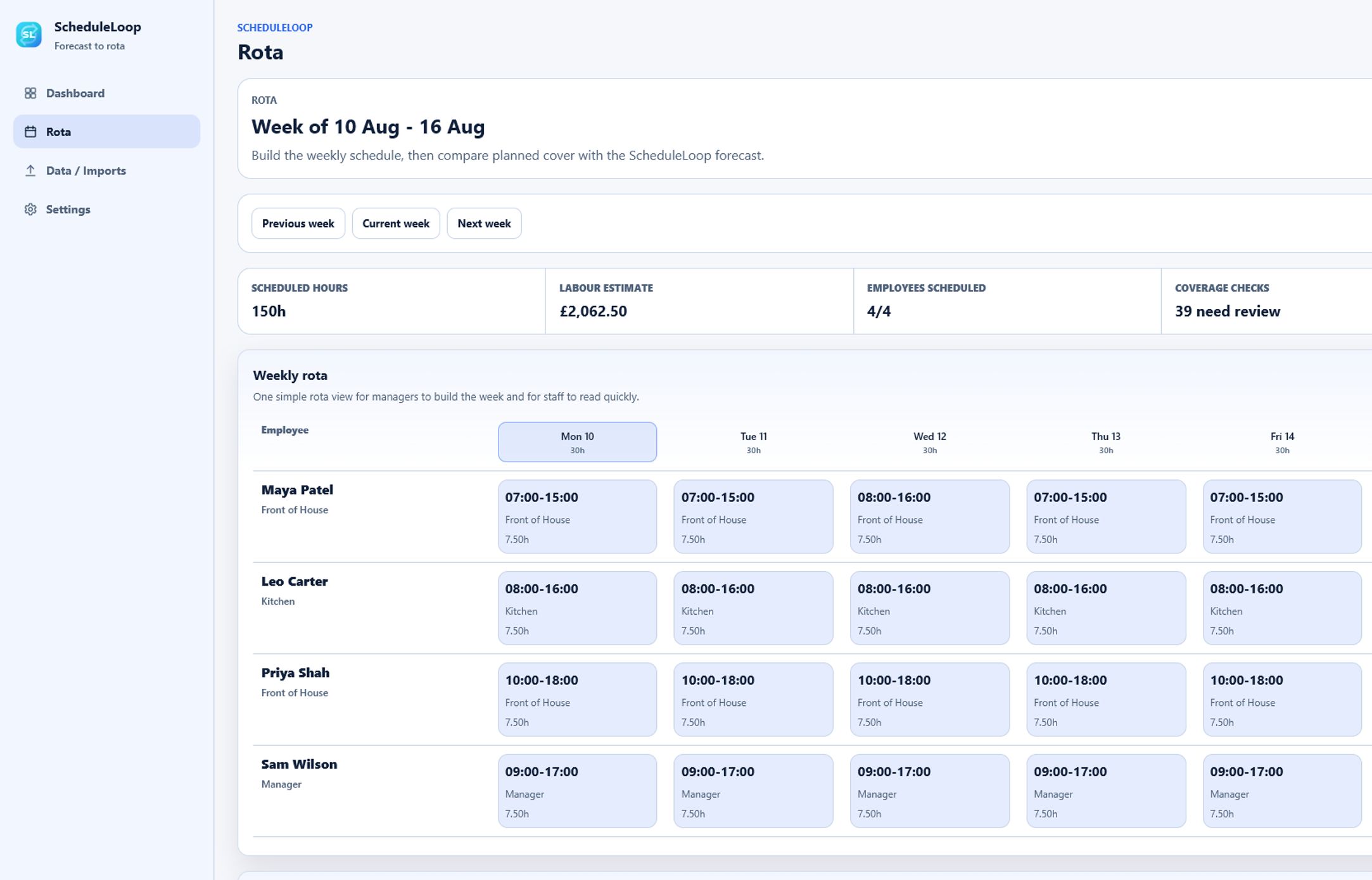
Rota Planning
Once you understand the cover the day requires, ScheduleLoop gives you a clear place to schedule employees and build the rota around that plan. Create and adjust shifts while keeping the expected staffing requirement in view.
Who It's For
Plan around morning rushes and lunch peaks, then schedule barista, kitchen and front-of-house cover.
Turn service peaks and late finishes into practical bar, service and kitchen shifts.
Match reception, floor and class cover to member traffic, then organise the people providing it.
Plan checkout, sales-floor and stock cover around trading patterns and promotions.
Connect expected activity to employee shifts wherever demand changes by hour, role or day type.
Roles and Labour Cost
ScheduleLoop estimates the planned staff hours and labour cost, then shows the scheduled hours and cost as shifts are added. Managers can review the commitment without turning the product into payroll software.
Early Access
We are working with a small number of shift-based businesses to test staffing planning and rota creation together. Early-access businesses get guided setup for roles, opening hours, demand assumptions and employees, plus a direct feedback loop while the product is still flexible.
Data and Responsibility
ScheduleLoop uses business setup details and any uploaded trading history to create staffing recommendations for your business. Managers retain final control, and staffing results are presented as decision support rather than guarantees.
Uploaded data should only be used where the business has permission to use it. Users can request access or deletion through the public contact email.
FAQ
ScheduleLoop is a demand-led staffing and rota tool for shift-based businesses. It helps managers understand how much cover the day is likely to need, turn that into role-based staffing guidance and build the employee rota around the plan.
Yes. ScheduleLoop includes a straightforward rota area where managers can add employees, create and manage shifts, move between weeks and review the rota as a draft or published schedule. Its main difference is that the rota is built after first understanding the staffing coverage the day is expected to require.
The forecast shows when demand is likely to rise or fall. ScheduleLoop turns that into recommended staffing coverage by time and role, then compares the shifts on the rota with that recommendation so managers can see where cover is matched, under, over or assigned to the wrong role.
No. ScheduleLoop provides the staffing guidance and rota workspace, while the manager remains in control of employee assignments, shift times, breaks and the final rota. It can copy suitable shifts from the previous week, but it does not generate or assign the whole rota automatically.
ScheduleLoop is designed for businesses where staffing needs change throughout the day, including cafes, restaurants, bars, gyms, leisure venues, retail stores and other small teams with hourly peaks and quieter periods.
Historical data is helpful because it gives ScheduleLoop a clearer pattern to work from, but it is not the only starting point. During guided early access, you can begin with opening hours, role assumptions and typical demand patterns, then improve the plan as better data becomes available.
Yes. The current product includes CSV upload for trading history such as orders, sales, bookings, covers or similar demand indicators. ScheduleLoop uses that information to shape staffing guidance, and the data should only be uploaded where your business has permission to use it.
Yes. ScheduleLoop is built around role-based planning. You can think about front of house, kitchen, reception, checkout, floor staff or other roles separately, which is important because different parts of the team often peak at different times.
Managers can adjust the day type and add context for situations the data alone may not explain, such as promotions, bookings, school holidays, nearby events or unusually quiet trading conditions. The aim is to combine the forecast with what the manager already knows.
Not currently. ScheduleLoop does not present automatic weather, event or roadworks integrations as live features. The current product keeps this honest by letting managers add relevant context themselves, which is often the fastest and most accurate source of local knowledge.
Yes. ScheduleLoop can estimate the cost of the recommended staffing plan and the scheduled rota where wage information is available. These figures support planning; ScheduleLoop does not process payroll or replace payroll software.
Managers can manually add employees and assign them while building the rota. ScheduleLoop does not currently choose employees or generate the entire rota automatically, so availability, skills and final shift decisions remain with the manager.
For businesses that need straightforward employee and shift planning, ScheduleLoop can provide the core forecasting-to-rota workflow in one place. Businesses that rely on advanced HR, payroll, availability, holiday or shift-swapping features may continue using ScheduleLoop alongside their existing systems.
The quality of the recommendation depends on the quality of the input data, how consistent the business pattern is and how well unusual days are explained. ScheduleLoop is designed to give managers a stronger starting point, while keeping final judgement with the people who know the business.
No. ScheduleLoop supports manager judgement rather than replacing it. It brings demand, roles and staffing assumptions into one clear view so decisions can be made with better information.
Request a free walkthrough. ScheduleLoop is currently offered through guided early access, so we can understand your business, help configure the basics and show how forecasting, staffing guidance and rota creation could fit your operation.
Talk it through
Request a short walkthrough and we'll show how ScheduleLoop can help you understand expected demand, plan the required cover and build the rota around it.